
How to Add or Claim Your Business to the 805 Directory
View a Sample Premium Package Business Listing
Instructions for Claiming an Existing Listing
1. Search our directory for your business listing.
2. Click on the lsiting to view the business listing detail page.
3. Click on the "Claim Business" button. This will take you to the business account registration form. Complete the form.
4. You should be able to manage your listing. You can add additional details, images, etc. We highley recommend that you upgrade to one of our paid plan for better performance and SEO optimization of your listing on search engines.
Instructions for Adding a Business Listing to the in805.com Business Directory
Follow the steps below to submit your business listing to the 805 Business Directory. These instructions apply to users selecting a paid listing package.
- Select a Package
Choose your preferred paid listing package. - Enter Business Details
Fill out the required business information fields. Fields marked with an asterisk (*) are mandatory. Click Next to continue.
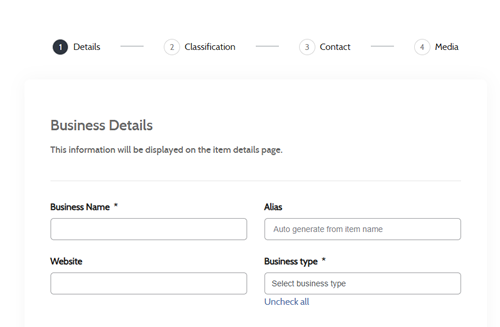
- Add Business Classification and Details
Choose the appropriate business category and provide relevant details. Click Next to proceed. - Add Business Location
In the location section, enter your address in the field labeled "Enter your address for auto-complete." Our mapping platform will attempt to locate your business automatically.
Example format: 77777 Coon Creek Road, Thousand Oaks, CA, United States.
If auto-complete does not find your address, enter the details manually and click Next.
Note:
- Region = State (e.g., California)
- Province = State (e.g., California)
- Area = County (e.g., Ventura County)
- Enter Contact Information and Social Media Links
Provide your business contact details and any social media profiles. Click Next. - Upload Business Images
Add images for your listing to help it stand out. Click Next. - Review Terms & Conditions
Read and agree to the Terms & Conditions. Then click Save. - Enter Billing Information
Fill in your billing details and click Continue. - Review and Complete Payment
We use PayPal as our secure payment processor. You’ll need a PayPal account with a valid credit card linked to your PayPal Account (any major card is accepted).
At this point you will need to be logged into your PayPal account in a separate web browser window to complete the payment process.
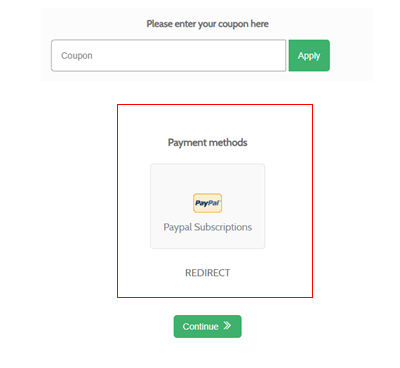
From 805 busines directory payment method screen, select PayPal from the payment options (see screen grab below) and click Continue. You’ll be redirected to PayPal to confirm your credit card and complete the payment. After payment is approved, you will be redirected back to the in805.com homepage.
Please Note:
- All business listings are reviewed by our team before being published. Listings are also verified for successful payment (for paid packages). This process typically takes 1–2 business days.
- The 805 Business Directory serves the 805 and 820 area codes of California, which include Ventura County, Santa Barbara County, and San Luis Obispo County. We do not accept listings from outside this region, with limited exceptions for businesses located near the Ventura/Los Angeles County line.
Why Add Your Business to Our Directory?
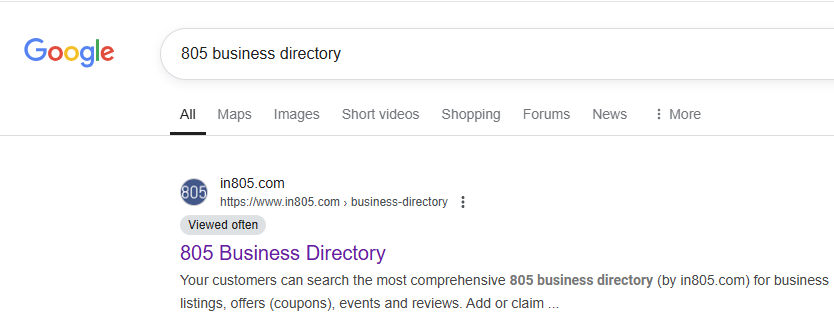
Promote your business in a local 805 directory and get leads and calls from the business listing. Our directory consistently ranks in the #1 position of Google for searches for "805 Business Directory" so no doubt you get exposure to you business listing.
Need Help?
Contact us at
* Your business's page may differ based on the package you selects and options available.